Hey Tableau Community! Ever wondered what the CEILING() function does?
When working with data that relates to whole things – such as people – you may not want to leave values as decimals or round them down, which may result in underestimating values.
Take this table showing the average number of customers per month, by quarter.
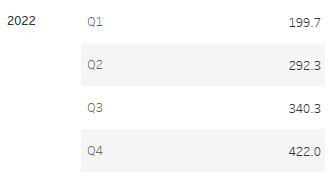
In reality you can't have 0.33 of a customer so when dealing with data like this, you may want to always round up to the nearest whole person.
How to do it?
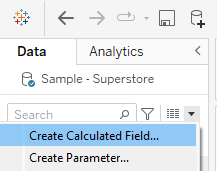
1. Create a new calculated field.
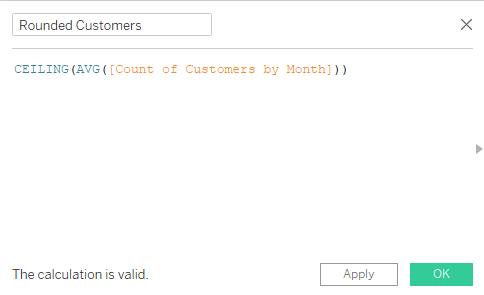
2. Wrap the variable/value you wish to round in the CEILING() function – which will round every number to the nearest integer of greater value.
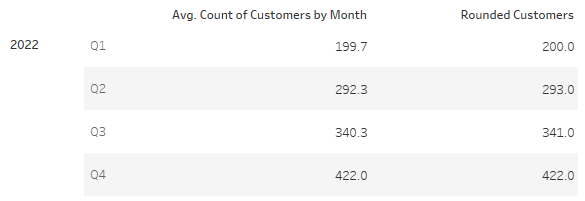
3. Start using your new variable!
I hope you find this trick useful! If you have any Tableau related questions feel free to let me know!